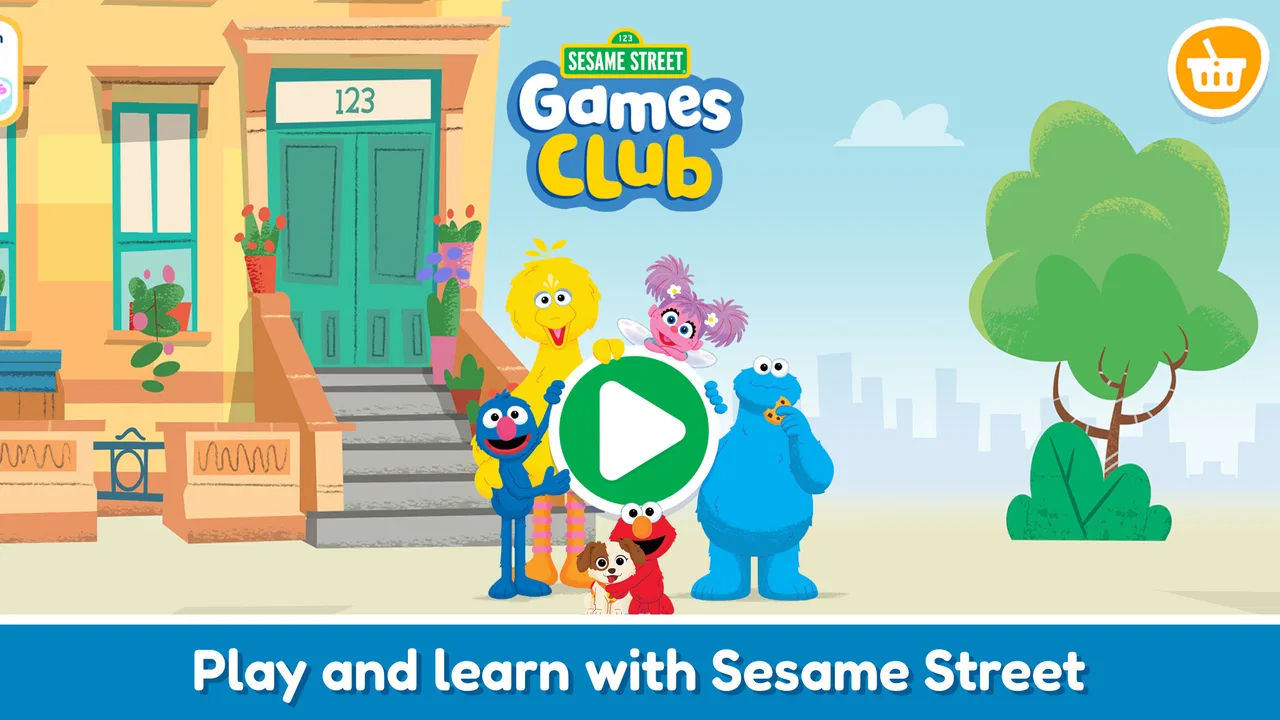
Sesame Street Games Club
- 4.2
- Rating
- 500.00K
- Installs
- Free
- Price

 Analysis by App-foxy
When a preschooler needs a short, cheerful activity on a shared phone or tablet, Sesame Street Games Club is the kind of app I can imagine reaching for without much hesitation. It is an educational game from StoryToys, built around mini games for preschool children rather than a long story, a competitive challenge, or an open-ended video feed. I spent time looking at it from the point of view of a household where adults and children share devices, and that perspective matters: a game can be enjoyable for a child while still being awkward when several people use the same screen.
My overall impression is positive, with an important qualification. The app works best as a guided, occasional activity for young children who already enjoy Sesame Street characters and can handle simple touch interactions. It is less convincing as a complete learning plan or as something I would leave running for a long, unsupervised session. The free entry point makes it easy to try, while optional purchases ranging from $2.99 to $29.99 per item mean that an adult should decide in advance how the app fits the household budget.
How Sesame Street Games Club fits into a shared household
The most realistic use case is not a child owning a personal device. It is a family tablet on the kitchen counter, a parent’s phone during a waiting period, or a device passed between siblings while an adult is nearby. In that setting, the short-game format is useful. A preschooler can complete an activity without needing to understand a complicated menu, and an adult can stop after one small session instead of negotiating the end of a large game world.
You May Also Like

 Blood Strike: 2.5 Anniversary
Blood Strike’s Loadouts Turn Every Drop Into a Tactical Gamble
A close look at Blood Strike’s custom loadouts: how fast access to signature weapons reshapes its battle royale rhythm, rewards preparation, and narrows the gap between fights.

 Pandora - Music & Podcasts
Pandora’s Music Is Easy to Start, but Harder to Recover
Pandora’s strength is its low-effort path from a seed to a station. Its weak spot is how much confidence it asks you to place in connection, setup, and quiet recovery.

 8 Ball Pool
 Is Built on Rivalries, Rematches, and Routine
A close look at the rivalries, rematches, shared routines, and unanswered safety questions that turn a quick pool match into a persistent mobile community.

 Samsung Music
’s Quiet Strength Is Playing What You Already Own
Its reach comes less from spectacle than from dependable access to a personal library. That simplicity is both the app’s strongest retention engine and its ceiling.

 AccuWeather: Weather Radar
AccuWeather Review: A Quick, Clear Forecast for Everyday Decisions
For everyday plans, the best forecast is the one you can understand quickly. AccuWeather makes rain timing, radar, and local conditions easy to act on, with a few trade-offs.

 Hill Climb Racing
Why Hill Climb Racing Still Turns Crashes Into One More Run
A tiny car, a bumpy hill and one more upgrade: Hill Climb Racing keeps resurfacing because its simple chaos makes every near-miss feel personal.
More From Our News Desk
View All News


I like this format for transitions: before leaving the house, while waiting for an appointment, or during a quiet period when a child needs something more purposeful than random tapping. The activities are easier to introduce than a full educational platform because the child does not need a lesson plan from the adult. At the same time, I would not treat the app as a substitute for conversation, drawing, physical play, or reading together. Its strongest role is a compact digital activity that can support those things, not replace them.
On a shared device, the first practical question is whether the child can recognize when it is their turn. If siblings use the same tablet, I would set a simple household rule before opening the app: one child chooses the activity, the other watches or waits, and the adult handles any purchase decision. That sounds obvious, but preschool games can quickly become a source of arguments when children tap through menus together. The app may be friendly, yet the device is still a shared object with limited patience.
One useful routine is to let the child choose between two activities rather than handing over unlimited control. This keeps the session manageable and gives the child a sense of independence without turning the app into a negotiation over every screen. Afterward, I would ask what the child noticed or enjoyed. That small conversation is where the educational value can become more meaningful, because the adult connects the digital activity with language, memory, counting, colors, or everyday observations.
What the first session feels like
The first session is straightforward in concept: the child enters a Sesame Street-themed space and explores small activities designed for preschool use. The appeal is immediate for children who already know the characters. Familiar faces can lower the barrier to trying something new, especially for a child who becomes frustrated by unfamiliar interfaces or does not yet read confidently.
In my experience, the right adult posture is nearby but not constantly directing. I would demonstrate one interaction, then let the child try. If the child is tapping randomly, I would use questions such as “What do you think this one does?” rather than immediately taking the device back. That approach helps reveal whether the interface is genuinely understandable or whether the child is only following prompts mechanically.
The mini-game structure also makes it easier to notice a child’s preferences. One child may enjoy matching and visual recognition, while another may respond better to activities that involve movement, sounds, or repeated choices. I would use those preferences to decide how long the session should last. A child who is still engaged after one activity may be ready for another; a child who starts pressing everything on screen is probably finished, even if the app continues offering content.
Setup boundaries matter more than the download
The game is free to start, which is helpful for families deciding whether it deserves a place on a shared device. I would still complete the adult setup before handing over the phone or tablet. That means checking the device’s purchase protections, deciding whether the child can browse freely, and agreeing on whether the app is for occasional play or part of a regular routine. These are household decisions rather than game mechanics, but they determine whether the experience feels calm or frustrating.
The optional purchase range deserves particular attention. A child may understand that an activity is fun without understanding that a tap can lead toward a paid item. I would never rely on the child to make that distinction. If the device is used by several family members, the adult who owns the store account should explain the rule to everyone who might pick it up, including older siblings who may be helping a younger child.
I also recommend checking the minimum operating-system requirement before planning a hand-me-down device for the app. It requires Android 8.0 or later, so an older phone or tablet may not be suitable even if it still runs other children’s games. This is a small detail, but it prevents the common situation where a family prepares an old device, only to discover that the installation cannot proceed.
Because the current version is 8.3.0, I would keep the app updated when the household’s normal device routine allows it. I would not promise that every update changes the experience in a visible way, but using the current version is generally sensible when a child’s app is shared among several people. It also gives the adult a natural moment to review the app again before a younger child uses it.
Coordinating children without turning play into a chore
Sesame Street Games Club is most comfortable with one child actively holding the device. That is not a criticism of the game so much as a reality of preschool interaction: two small children can easily compete for the same button, interrupt each other, or disagree about which activity to open. If the app is being used with siblings, I would make the session cooperative by giving each child a different job.
For example, one child can control the screen while the other points out colors, remembers a pattern, or says what they think will happen next. Then they can swap roles after an activity ends. This turns waiting into participation without pretending that the app is a fully designed multiplayer experience. It also lets an adult see whether the children are learning from the activity or simply fighting over control.
Another good approach is to use the game as a conversation starter rather than a silent babysitter. If an activity involves recognition or sorting, I would continue the idea away from the screen with household objects. If the child responds to a character’s action, I might ask them to explain it in their own words. These follow-up moments are especially valuable because the app’s short activities can otherwise disappear as quickly as any other screen entertainment.
I would avoid using the game as a reward for every routine task. That can make the child focus on gaining access rather than enjoying the activity, and it can create tension when another child receives a turn. A predictable window, such as a short period after lunch or before a trip, is easier for a shared household to manage than a system of constant bargaining.
Age context and the question of trust
The content rating is Everyone, and the target audience is clearly preschool children. That makes the app an approachable choice for families looking for gentle, age-appropriate entertainment rather than action, competition, or frightening themes. Still, an age rating does not tell an adult whether a particular child is ready to use the interface independently. Preschool development varies widely, especially with reading, fine motor control, attention span, and tolerance for repetition.
I would introduce the app to a younger child with an adult nearby, then observe whether the child understands the visual cues. If the child needs constant help to find the next action, the app may be better as a shared activity. If the child can explore calmly and stop when asked, it may work for a short independent period. Those are very different uses, and both can be reasonable.
Trust also includes trusting the child’s emotional response. Familiar characters do not guarantee that every activity will suit every child. Some children enjoy repetition; others become bored quickly. Some like to tap and experiment; others want clear instructions. I would watch for signs of overload, especially on a device already associated with videos or other games. If the child becomes upset when the session ends, the problem may be the household routine rather than the content itself, but the answer is still to shorten or structure the session.
For adults concerned about handing over a personal phone, the shared-device context is worth planning carefully. I would remove unrelated notifications from view, keep the adult’s private apps out of reach where practical, and hold the device during transitions between activities. Those steps are not features of StoryToys, and I would not assume the game provides family-management tools. They are simply sensible boundaries when a preschooler uses an adult’s screen.
Educational value beyond the label
The educational category is appropriate, but I would judge the learning value by how the child plays, not by the label alone. Mini games can encourage recognition, following directions, memory, and controlled tapping. They can also support vocabulary when an adult names what appears on screen and links it to real objects. The strongest results come from active participation, not passive repetition.
A practical tip is to let the child attempt an activity before explaining the answer. Preschoolers often learn more from making a small mistake and trying again than from having every step narrated. If the child is stuck, offer one clue instead of completing the task. This keeps the game from becoming an adult demonstration with the child merely watching.
I also found that the app is better suited to reinforcing familiar ideas than introducing a complete concept from scratch. If a child is already learning colors, shapes, letters, or simple categories in daily life, a related game can give that knowledge another context. I would not use the app alone to decide whether a child has mastered a skill. A child may succeed because the game repeats a pattern, while still needing help in a less predictable real-world situation.
This is where it differs from traditional preschool alternatives. A workbook gives an adult a visible record of completed pages, while a physical puzzle offers tactile feedback and usually makes sharing easier. A video can be more relaxing but often asks less of the child. Sesame Street Games Club sits between those options: more interactive than watching, less hands-on than physical play, and easier to start than a structured lesson. That middle position is its main strength.
Where it may not be the right choice
I would skip it if the child strongly dislikes character-based activities or becomes frustrated by touch-screen controls. The Sesame Street setting is a major part of the appeal, so a child who wants construction, drawing, movement, or open-ended pretend play may find the mini games limiting. In that case, a physical activity or a different educational game with a more suitable interaction style would be a better use of the device.
I would also look elsewhere if the household needs detailed progress tracking, separate child profiles, or a carefully sequenced curriculum. I would not assume those account boundaries or learning dashboards are part of this experience. For a classroom, a therapy plan, or a family that wants measurable skill reports, a specialist learning platform may be more appropriate. This game feels designed for accessible play, not formal assessment.
Another limitation is the shared-device problem itself. The game may be easy for one child to enjoy, but that does not automatically make it easy for three children to share. If the main goal is cooperative family play, a board game, puzzle, or activity designed for multiple participants can create less conflict. The app works best when the household accepts that screen control will usually belong to one child at a time.
Reach, cost, and everyday practicality
The game has reached over 500 thousand installs, and its average rating is 4.0 from around 1.5 thousand ratings. I read those figures as signs of a reasonably established app rather than proof that every preschooler will enjoy it. The number of ratings suggests that many families have tried it, while the middling average leaves room for different expectations and experiences.
StoryToys released this version on January 17, 2024, and the app remains free to begin. That combination makes it practical for a cautious trial: install it on a compatible device, play together, and decide whether the child returns to it naturally. I would not buy optional content on the first day. I would first see whether the free experience fits the child’s attention span and the family’s sharing rules.
For a parent, grandparent, or babysitter, the best workflow is simple. Test the app without the child present, choose a quiet time for the first session, and keep the device in the adult’s hands until the purchase boundary is clear. Then allow the child to explore one activity at a time. This avoids the common mistake of handing over a device while still learning how its menus and payment prompts work.
The app also makes sense for relatives who want a familiar Sesame Street activity during a visit. I would still explain the household rules rather than assuming another adult knows them. A guest may think that “free” means every part is free, or may let a child keep playing longer than the parents prefer. A short conversation before the visit prevents the game from becoming an accidental source of conflict.
My household verdict
After considering both the child’s experience and the adult’s responsibilities, I see Sesame Street Games Club as a friendly, focused option for preschoolers who enjoy Sesame Street and can benefit from short interactive activities. Its biggest advantage is accessibility: the format is less intimidating than a large game, more engaging than a passive video, and flexible enough to fit a busy household.
Its weaknesses are equally clear. It should not be mistaken for a complete preschool curriculum, a shared multiplayer game, or a replacement for hands-on play. Optional purchases require adult attention, and a family using one device needs to create its own turn-taking and stopping rules. Those limitations do not ruin the experience, but they do shape the right way to use it.
My recommendation is to try it as a supervised, short-session activity rather than an always-available digital toy. If your child responds warmly to the characters and enjoys simple mini games, it can become a useful part of a household routine. If you need separate accounts, detailed progress records, or genuine group play, I would choose a different kind of educational tool. For the right family, though, this free starting point from StoryToys offers a pleasant way to turn a few spare minutes into playful learning without making the screen feel like a full lesson.
In the end, I would keep it on a shared device only if the adults agree on when it is used, who controls purchases, and how children take turns. With those boundaries in place, the app feels manageable and worthwhile. Without them, even a gentle preschool game can create more household friction than its small activities are worth.
FAQs for Sesame Street Games Club
01What is Sesame Street Games Club?
Sesame Street Games Club is an educational app designed for children, offering a variety of games and activities featuring beloved Sesame Street characters. The app aims to teach kids important skills such as literacy, math, and social-emotional understanding through interactive, fun gameplay.
02Is Sesame Street Games Club suitable for all age groups?
The app is primarily designed for preschoolers and young children aged 2 to 5 years. It focuses on early childhood development skills, making it ideal for toddlers and preschoolers. Parents can rest assured that the content is appropriate and tailored to their child’s developmental stage.
03Are there in-app purchases in Sesame Street Games Club?
Sesame Street Games Club may offer some premium content that requires a subscription or in-app purchases. However, it also provides a range of free activities. Parents can manage purchase settings to ensure children do not make unauthorized transactions.
04Is Sesame Street Games Club available on both Android and iOS?
Yes, Sesame Street Games Club is available for download on both Android and iOS platforms. It can be accessed via the Google Play Store for Android devices and the Apple App Store for iOS devices, offering a seamless experience across different mobile systems.
05Does Sesame Street Games Club require an internet connection?
While some features of Sesame Street Games Club may require an internet connection, such as downloading new content or updates, many games can be played offline. This makes it convenient for on-the-go learning without constant internet access.
Pros
- Educational content is highly engaging.
- Wide variety of interactive games.
- Safe environment for kids.
- Frequent updates with new content.
- Encourages creativity and learning.
Cons
- Subscription required for full access.
- May lag on older devices.
- Limited offline functionality.
- Some games need parental guidance.
- In-app purchases can be confusing.

Sesame Street Games Club
Gallery